Your first smart link, bio, and tracking
A quick visual walkthrough of git-royal for independent artists — from one release link to knowing exactly which ads drive streams.
Create your smart link
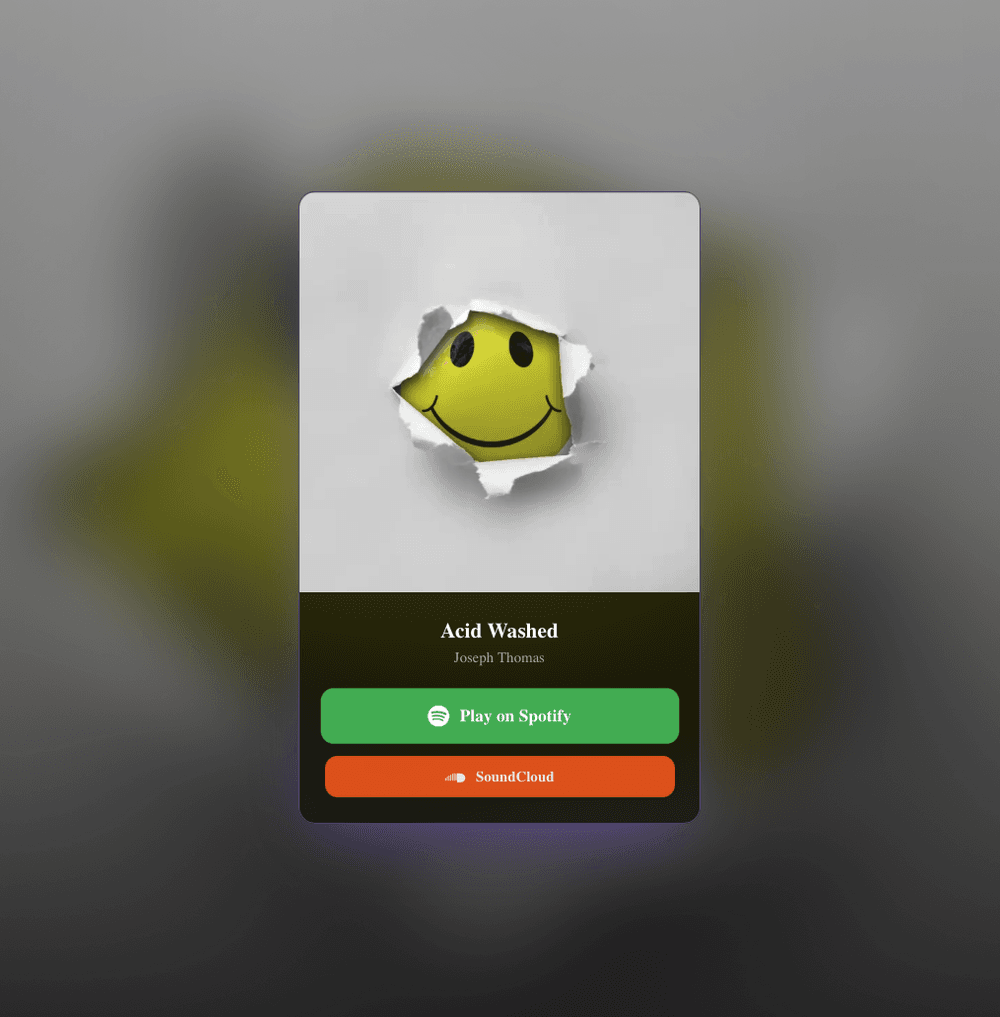
Every release gets one smart link that opens a clean landing page with a button for every streaming service — Spotify, Apple Music, YouTube Music, Amazon Music, Deezer, and the rest. Add your cover art, title, and streaming URLs, and git-royal builds the page for you. Instead of scattering a dozen platform URLs across your posts, you share a single music link — the ideal destination for a music marketing campaign, your Instagram and TikTok bio, an email blast, or a paid ad. Fans tap straight through to the app they already use, so fewer of them drop off before they hit play.
Style it and connect tracking
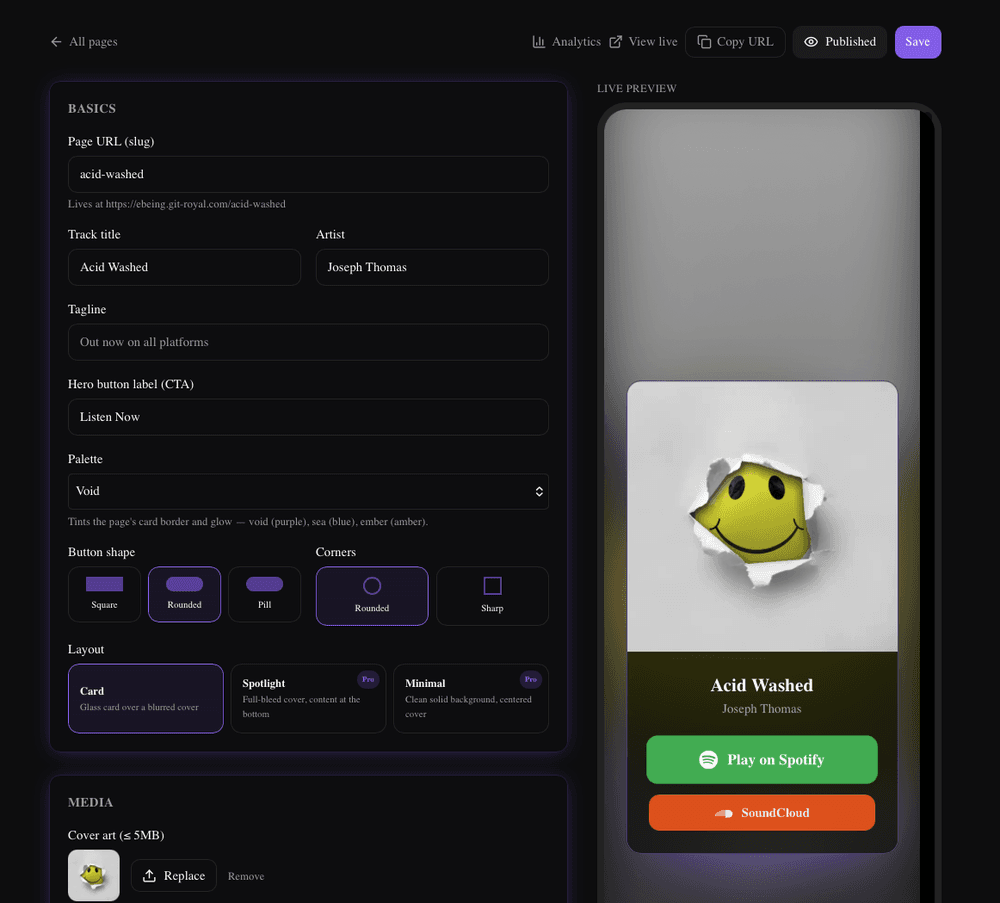
Make the page yours — pick a palette, button shape, and layout so it matches your release artwork and brand. Then, when you're ready to run a music marketing campaign, paste in your Meta or TikTok pixel. git-royal records every preview and stream-click server-side through Meta's Conversions API and TikTok's Events API, not just the browser pixel. That matters because iOS privacy changes (App Tracking Transparency) and ad blockers quietly drop browser-only conversions — server-side tracking sends the data straight from git-royal, protecting the Meta pixel conversion data your ad platform relies on to optimize delivery and lower your cost per listener.
Seen enough? Go make one. The rest of this is us showing off.
Set up your bio link
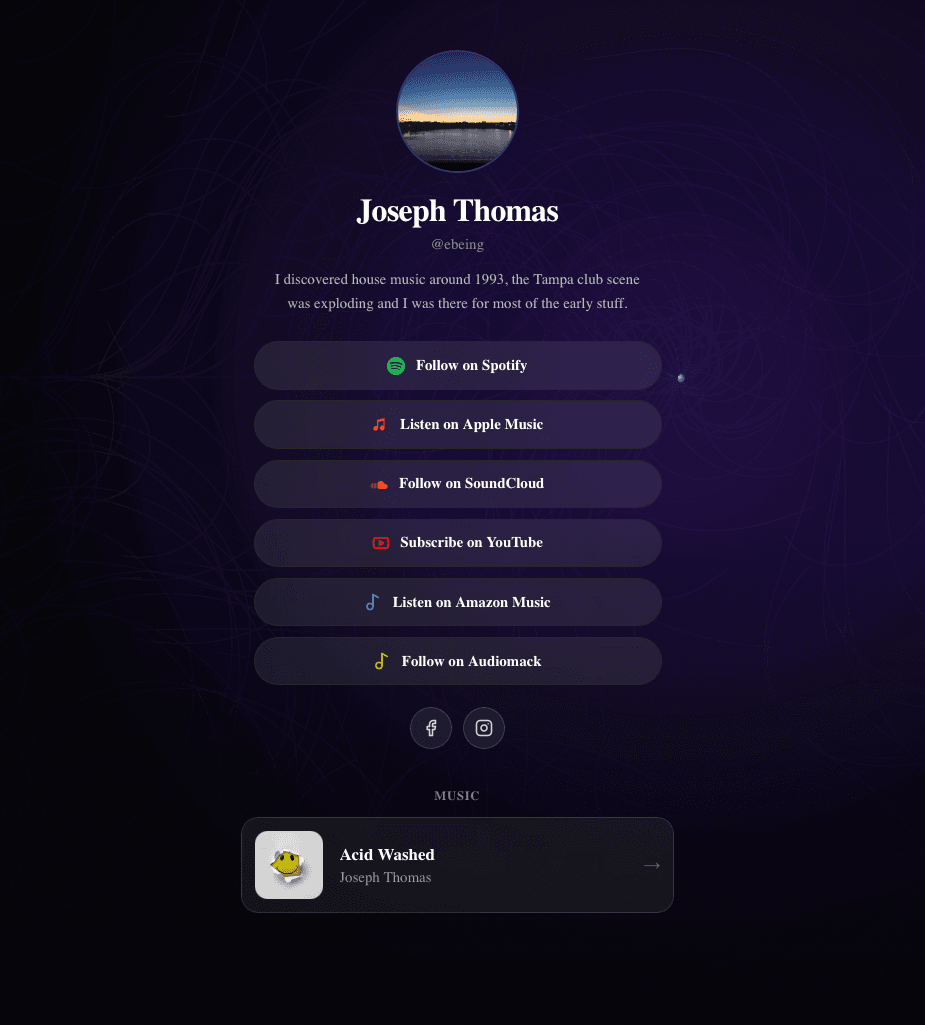
Your handle becomes a link-in-bio page — a photo, your social icons, and stacked buttons for every release and destination you want fans to reach. It's the single music link for your Instagram and TikTok profile, so you never have to rewrite your bio for each new drop. And because every tap is tracked, you learn which release, playlist, or merch link your followers actually click — turning a static bio into a measurable part of your funnel. Update it once and every platform that points to your handle stays current, keeping your whole social presence in sync.
Manage links and short codes
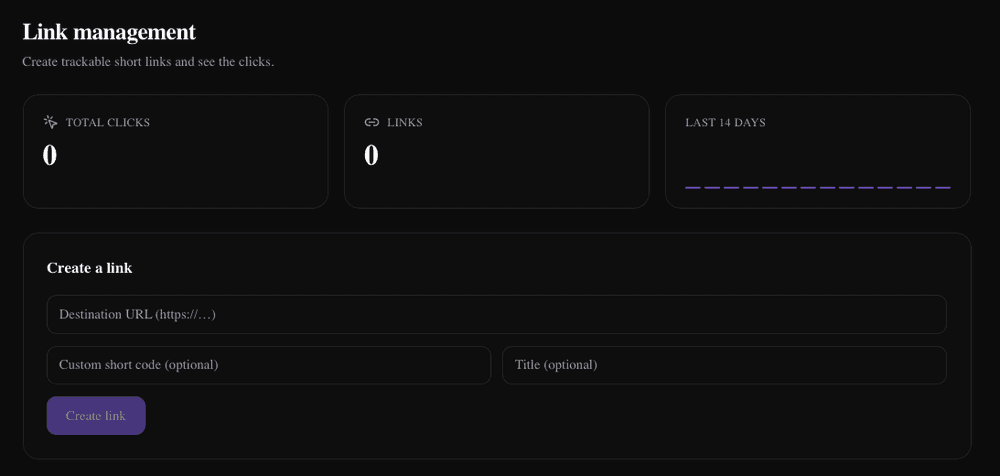
Turn any long URL — a playlist, a merch drop, a tour date, a pre-order — into a short, branded git-royal link you can drop into a caption, bio, or ad. Every short code counts its clicks, giving you lightweight music data analytics on exactly what your audience taps. Branded short links also read as more trustworthy than raw tracking URLs, which nudges click-through rates up, and they let you swap the destination later without changing a link you've already posted or printed. Short Links are a Pro feature.
Still reading. We're flattered, genuinely.
Read your analytics
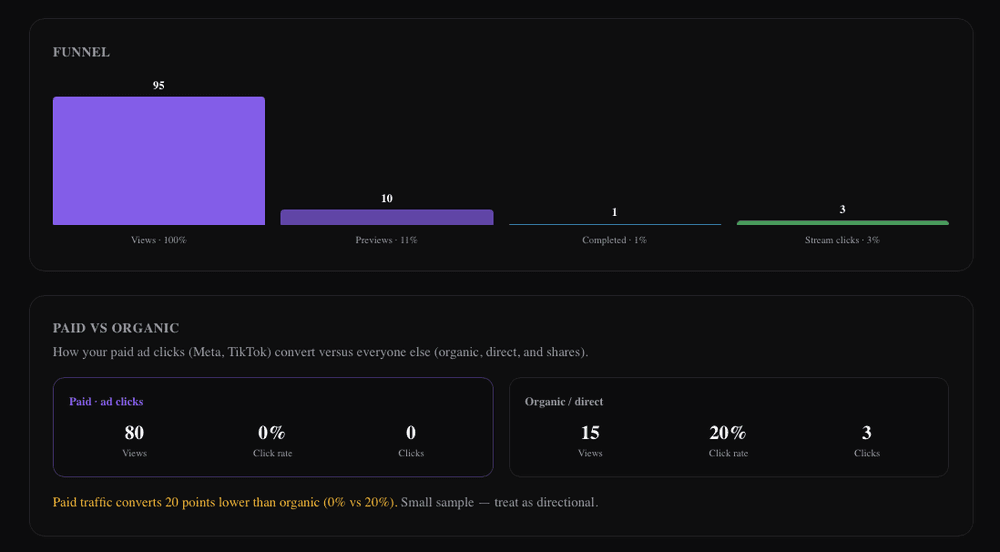
Each release page has its own dashboard: page views, previews, and stream-clicks, broken out by paid versus organic traffic. This is the music data analytics layer most link tools skip — instead of vanity clicks, you see which ads and channels drive real listens. During a music marketing campaign you can tell whether your Meta or TikTok spend is producing plays or just cheap traffic, spot which release is resonating, and shift budget accordingly. Paired with server-side tracking, the paid numbers here reconcile with what your ad platform reports, so you can trust the cost-per-result you're optimizing toward.
Ready to build your first page?
Create your smart link and bio in minutes. Add your pixel on day one and it starts building your audience right away. The 7-day trial takes a card and converts on day 7 unless you cancel — or build a page free, no card, at /try.
Start 7-day free trialYou made it to the end. We didn't think you would.